Shopping Ads Monitoring: A Practical Ecommerce Checklist
Shopping ads monitoring should help you decide what to investigate next. When clicks slow down or a product stops appearing, immediately lowering its price can solve the wrong problem. A feed issue, a campaign change and a less competitive offer each call for a different response.
This checklist is for ecommerce teams that already run Shopping ads and need a repeatable way to investigate changes. Use it to collect evidence, assign an owner and choose a measured action before adjusting a bid, budget or product price.

Build your shopping ads monitoring around three evidence sources
Start with Merchant Center for product data and eligibility, Google Ads for campaign performance, and competitor-price records for offer comparisons. Keep the sources identifiable in your review: a change in one does not establish what happened in another.
Google explains that Shopping ads use Merchant Center product data to match products to searches. The ad can show a product image, title, price and store name. That makes the submitted offer a sensible first checkpoint when investigating an unexpected change.
Create a short review record with the item ID or SKU, country, variant, campaign, observation time and links to the relevant reports. Record the symptom in plain language, such as “eligible product, fewer impressions,” rather than writing a conclusion such as “price too high.”
1. Confirm the product and offer you are investigating
Open the exact variant’s landing page and compare it with the submitted product record. Check price, currency, availability, quantity or pack size, and the destination URL. Include shipping terms in your commercial review so that an apparently cheaper offer is not treated as an equivalent purchase without checking.
If you find a discrepancy, capture the current values and identify which system owns the update. A storefront price, a feed export and the latest processed product record can represent different moments. Recheck after the relevant update has completed before deciding whether the discrepancy persists.
Keep product identity explicit. A different size, bundle or refurbished item belongs in a separate comparison. If the match is uncertain, label it for review rather than letting it drive a pricing decision.
2. Separate delivery changes from response changes
In your campaign review, distinguish fewer impressions from fewer clicks at similar impression volume. Then inspect conversions and the value recorded by your reporting setup. These are different symptoms; recording them separately makes the investigation more useful.
Compare like-for-like windows, countries and product groups. Note changes to campaign settings, budgets, product inclusion, promotions and stock. When the comparison includes a major promotion in only one period, write that beside the result instead of presenting the change as an unexplained trend.
Do not treat a small number of clicks as decisive evidence. Pick a review window that is useful for your catalog’s volume and buying cycle, and record when a conclusion is still tentative. The monitoring record should distinguish an observed change from a hypothesis about its cause.
3. Use auction insights for auction context
Google’s auction insights report provides Shopping campaign metrics including impression share, overlap rate and outranking share, subject to reporting thresholds. It describes participation in auctions; it is not a list of competitors’ product prices.
Use the report to ask whether the competitive auction context changed during your investigation. Keep it alongside your SKU-level price comparison, rather than treating an advertiser’s appearance in the report as proof that its offer is cheaper.

4. Turn each finding into one owned action
Use a simple incident log: symptom; affected products and market; evidence; likely explanation; owner; action; review date. Keep the likely explanation separate from the evidence so that another team member can challenge it.
For a product-data discrepancy, assign the feed or catalog owner to correct and recheck it. For a campaign-setting change, ask the campaign owner to assess whether it was intentional. For a confirmed competitor-price gap, ask the pricing owner to review the offer against costs, stock and the business’s pricing constraints.
An illustrative decision: a product has fewer impressions, and its submitted availability differs from the storefront. Investigate that discrepancy first. A competitor discount observed at the same time is useful context, but it does not establish why delivery changed.
If you decide to change a price, document the approved boundary and the reason. Avoid changing price, bidding, titles and product inclusion simultaneously when you want to understand the effect of a particular intervention. Record unavoidable concurrent changes.
5. Keep a daily exception check and a deeper review
For a daily check, focus on newly observed issues affecting products the team considers commercially important. For a deeper review, look for recurring incidents, unreliable product matches and actions that were never revisited. Adjust the cadence to your catalog and operating capacity.
Useful questions for the review are: Which issue is still unresolved? Is the evidence current? Who owns the next step? What result would support or weaken our explanation? A completed action is not the same as a confirmed outcome.
Where Intelis fits
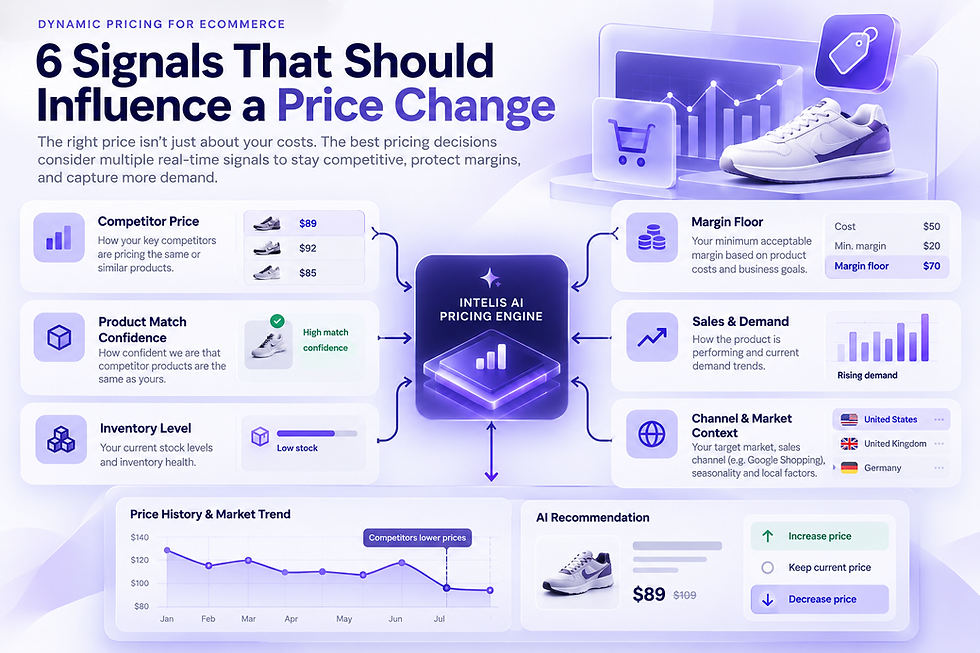
Intelis offers Google Shopping competitor monitoring, product matching and pricing history. Those capabilities can provide the price-comparison context for this workflow. Keep your campaign and eligibility checks tied to the relevant Google reports, and confirm the Intelis configuration that suits your catalog and markets.
Bring a small set of priority products and a recent monitoring question to an Intelis conversation. We can discuss how competitor-price intelligence fits your existing process and which setup is appropriate for your business.