Google Shopping Pricing Automation: Guardrails for Safer Repricing
Updated: Oct 22
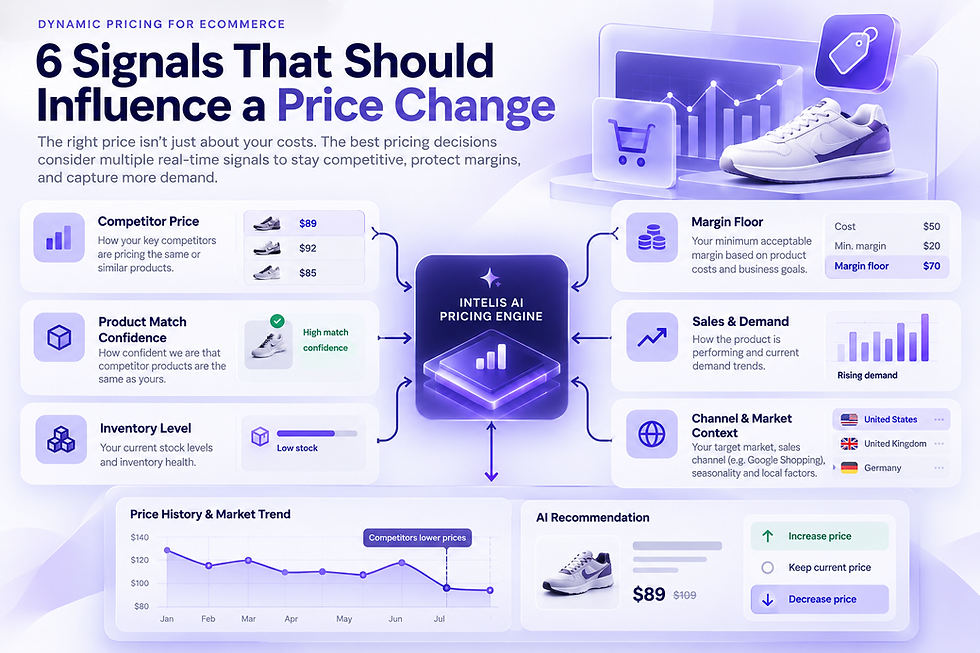
A Google Shopping repricer should do more than copy the lowest visible competitor price. The useful version of repricing starts with reliable product matches, checks whether competing offers are current and comparable, applies your commercial guardrails, updates the source price, and then verifies that Google sees the same price shoppers see.
That distinction matters because Google requires submitted product prices to match the landing page and checkout. Google’s Merchant Center price requirements explicitly require merchants to keep prices current and consistent. A repricing workflow therefore has to treat the storefront, feed, and Shopping listing as one connected system.
Where this guide fits
This article focuses on the automation and guardrail layer after a repricing strategy has already been defined. If you're looking for the core repricer explanation first, start with the dedicated Google Shopping Repricer guide.

What a Google Shopping repricer actually does
At a practical level, repricing is a decision pipeline. Monitoring tells you what changed in the market. Repricing decides whether your own price should change and, if so, by how much.
Collect comparable competitor offers for the same product and target market.
Confirm product identity, availability, currency and freshness before treating an offer as a pricing signal.
Apply rules such as minimum margin, minimum or maximum price, MAP or RRP constraints, excluded products and approval thresholds.
Write the approved price back to the ecommerce platform or pricing source of truth.
Keep product data synchronized so the Shopping price, landing page and checkout remain consistent.
Record the change and review what happened after the update.
If you are still validating the monitoring layer, start with our Google Shopping price tracker guide before moving into automation.
Before you automate, make the inputs trustworthy
1. Product matching has to be exact enough for pricing
A cheaper listing is not useful if it is a different size, color, model, condition or pack quantity. Repricing from a bad match can turn a data-quality problem into a live pricing mistake. Use identifiers such as GTIN, MPN and brand where they are available, but also keep a review path for ambiguous matches and bundles.
2. Availability and freshness change the meaning of a price
An out-of-stock seller or an old observation should not automatically pull your price downward. The repricer should know when an offer was observed and whether it is currently buyable in the target market.
3. Compare the market context, not only the number
Currency, shipping, regional availability, promotions and tax presentation can change whether two offers are genuinely comparable. A useful repricer keeps these fields visible instead of collapsing every competitor into a single lowest-price number.
4. Your own economics stay in control
A competitor move does not know your cost structure, margin target, inventory position or brand constraints. Those belong in the decision layer. The system should make it impossible for a market signal to bypass a rule that protects the business.
How a Google Shopping repricer should work
Step 1: Monitor the right competitors
Start with comparable in-stock offers and keep the seller, market, observed price and timestamp attached to each observation. The goal is not to collect the largest possible competitor list. It is to build a signal you can trust.
Step 2: Turn observations into a rule-based decision
Define what must be true before a price can move. For example, a store may require a valid product match, a fresh competitor observation and a price that remains above a minimum margin. Larger changes can be routed for approval while small changes remain automatic.
Step 3: Update the source of truth
For Shopify merchants, product pricing is managed at the product or variant level, and Shopify also supports compare-at pricing for sale presentation. Shopify’s product pricing documentation is useful when defining how repriced values should appear in the storefront.
Step 4: Keep Merchant Center synchronized
After a storefront price changes, the corresponding product data needs to reflect the same current price. Google says the amount and currency submitted in product data must match the landing page and checkout. Build the verification step into the workflow instead of treating feed consistency as a separate cleanup task.

Step 5: Review the outcome
A price update is not the end of the decision. Keep a record of what triggered it, which rule constrained it, the old price, the new price and the later commercial outcome. That history helps teams distinguish useful automation from repeated price chasing.
Why matching the lowest price is usually the wrong objective
The lowest visible competitor can be running a short promotion, clearing stock, charging more for delivery, selling a different bundle, or operating with economics that do not apply to your store. Automatically matching every low price can create a race to the bottom without proving that the move improves contribution.
Google’s own automated discounts feature illustrates the broader principle: pricing decisions can consider demand, performance, product data, cost inputs and merchant-defined limits rather than simply beating every competitor. That Google feature is separate from a third-party repricer, but the use of explicit limits is a useful design pattern.
Guardrails worth defining for Shopify repricing
Minimum price or minimum gross-margin threshold.
Maximum price change per update or per day.
MAP, RRP or brand-specific restrictions where they apply.
Products, collections or brands that should never be automated.
A waiting period for newly added products or newly discovered competitors.
Manual approval for unusually large changes.
Behavior when there is no valid competition: hold, use another rule, or return to a reference price.
Market-specific rules when the same catalog is sold across multiple countries or currencies.
A controlled pilot is usually a better first step than catalog-wide automation. Our 30-day pricing analytics pilot shows how to validate matching, controls and commercial outcomes on a smaller product set before expanding.
When monitoring should stay monitoring
Automation is not automatically better. Keep a product in monitoring-only mode when matching confidence is low, the competitive set is sparse, the item is subject to special pricing rules, or the business needs human review for every change. Repricing works best when the inputs are dependable and the limits are explicit.
For higher-volume catalogs with reliable product matches and clear guardrails, automation can reduce the amount of repetitive checking while keeping exceptions visible to the team.
Where Intelis fits
Intelis combines Google Shopping competitor monitoring with AI-assisted product matching, pricing history and dynamic pricing workflows. The current Intelis dynamic pricing page describes automated Google Shopping price changes alongside competitor intelligence, MAP monitoring and historical pricing.
If you are comparing AI-driven options more broadly, see our AI retail pricing evaluation guide for the capabilities to verify before choosing a platform.
Sources and further reading
Google Merchant Center: Price [price] attribute
Google Merchant Center: About automated discounts
Shopify Help Center: Product prices